
Language
Views: 264 Author: 7DaysVape Publish Time: 2026-11-13 Origin: Site


Content Menu
● Which Devices Does This PAX Light Guide Cover?
● PAX Light Meanings at a Glance
● Why Context Matters More Than Colour Alone
>> Account for PAX 3 colour customisation
● Understanding Heating and Temperature Indicators
>> What does a pulsing purple light mean?
>> Why can red appear without indicating an error?
● PAX Battery Lights: Checking Charge Versus Charging
>> Why published charging times differ
● Safe Charging Checks When No Lights Appear
>> 1. Check the charging environment
>> 4. Observe whether the pattern changes
>> 5. Stop before attempting internal repairs
● Maintenance Boundaries That Protect the Electronics
● How to Document an Unfamiliar PAX Light Pattern
>> Why is my PAX blinking purple?
>> Why is my PAX showing blue lights?
>> Does a red PAX light always mean something is wrong?
>> Why are some charging lights solid and others pulsing?
>> Do four white petals mean the battery is completely full?
>> Can I use this guide for PAX ERA or PAX PLUS?
>> What should I do if the lights do not match this guide?
A PAX light guide is most useful when it explains more than individual colours. On PAX 2 and PAX 3, the same four-petal display communicates heating status, temperature settings, battery level and charging progress. Understanding those signals starts with identifying what the device was doing when the lights appeared.
This guide helps adult owners interpret normal indicators, distinguish charging behaviour from battery checks, and recognise when further support is appropriate. It covers standard indicator behaviour, not personalised medical advice or instructions for modifying the device.
The practical rule is simple: read the colour, count the illuminated petals, notice whether they pulse or stay solid, and consider the operating mode.

This article covers PAX 2 and PAX 3. Both models have been discontinued, but their manufacturer documentation remains useful for existing owners.
Do not automatically apply this guide to PAX PLUS, PAX MINI, PAX FLOW or the PAX ERA family. Similar-looking indicators do not guarantee identical meanings.
Device category also matters. PAX 2 and PAX 3 are not general-purpose e-liquid devices. A familiar brand name or a similar exterior does not establish compatibility with nicotine liquids, oils or other materials.
Before interpreting an unfamiliar signal:
- Confirm the exact model.
- Check whether it is connected to its charger.
- Note whether you recently checked the battery or entered a settings menu.
- For PAX 3, consider whether its indicator colours were previously customised.
These checks help prevent ordinary status messages from being mistaken for faults.
The following table summarises the standard patterns described in manufacturer guidance.
| Light pattern | Context | Standard interpretation |
|---|---|---|
| Pulsing purple petals | Device heating | Heating is underway |
| Green petals after purple | Heating status | The selected temperature has been reached |
| Pulsing green petals | Active operation | Normal operating feedback |
| Blue petals | Standby | The device has entered standby |
| White petals | Battery check | Approximate remaining charge |
| Pulsing white petals | Connected to charger | Charging is underway |
| Solid and pulsing white petals together | Connected to charger | Some charge thresholds have been reached; charging continues |
| Four solid white petals | Connected to charger | Charging is complete |
| Red flashes associated with shutdown | Low-battery context | Recharging may be required |
Do not diagnose a problem from colour alone. Red in a temperature-selection display has a different meaning from a brief red low-battery warning.
Likewise, four white petals during a battery check should not automatically be interpreted as proof of a fully charged battery.
A useful observation contains four details:
1. Colour.
2. Number of illuminated petals.
3. Movement, such as pulsing or flashing.
4. Operating context.
"White lights" is incomplete. "Two solid white petals and two pulsing white petals while connected to the charger" is much more informative.
The second description identifies a documented charging pattern rather than an unexplained lighting problem.
PAX documents colour customisation for some PAX 3 behaviours, including startup, heating, active operation and standby.
Consequently, a previously customised device may not match every default-colour description in an online guide.
If a colour appears unfamiliar, first establish whether customisation could explain it. Do not assume that a different colour means a damaged heater or battery.
This does not establish that every indicator can be customised, and it should not be used to dismiss persistent or otherwise concerning behaviour.
Under the standard colour scheme, pulsing purple indicates heating. Green indicates that the selected temperature has been reached.
The light reports an operating state. It does not verify material compatibility, establish that inhalation is safe or rule out every possible hardware issue.
Avoid using a published heat-up time as a strict diagnostic deadline. The reviewed sources give different timing descriptions, so one delayed transition is insufficient evidence to identify a failed component.
The standard temperature-selection display uses a progression of coloured petals:
| Illuminated petals | Standard settings display |
|---|---|
| One green petal | Lowest preset |
| Two yellow petals | Second preset |
| Three orange petals | Third preset |
| Four red petals | Highest preset |
This table explains the interface, not which setting someone should choose.
The distinction is between a deliberate settings display and a warning occurring elsewhere. Four red petals in the settings menu should not automatically be treated as the same event as red flashes followed by shutdown.
Blue petals indicate standby under the standard scheme.
Standby is different from charging and different from a confirmed fault. If the device behaves unexpectedly, record the sequence leading to the blue lights rather than relying on colour alone.
Battery checks and charging displays are related, but they are not interchangeable.
Manufacturer guidance describes checking remaining charge by gently shaking the device while it is powered on. White petals then indicate an approximate battery range.
The manufacturer's complete user guides describe these ranges:
| White petals during a battery check | Approximate remaining charge |
|---|---|
| One | Below 25% |
| Two | 25–50% |
| Three | 50–75% |
| Four | 75–100% |
These are broad estimates, not precise measurements.
Four illuminated petals can therefore mean the battery is somewhere in the upper range. They do not necessarily establish that charging has just finished.
While connected to the charger, the display communicates progress through solid and pulsing petals.
The dedicated manufacturer charging article gives this sequence:
| Charging progress | Indicator behaviour |
|---|---|
| Below the first 25% threshold | All four petals pulse white |
| Around 25% | One solid white petal; remaining petals pulse |
| Around 50% | Two solid white petals; remaining petals pulse |
| Around 75% | Three solid white petals; remaining petal pulses |
| Fully charged | Four solid white petals |
The distinction matters: four solid white petals on the charger indicate completion; four white petals during a battery check represent a range.
The manufacturer's PAX 3 overview describes approximately 90 minutes for a full charge. Its combined PAX 2 and PAX 3 charging support article gives approximately 2.5 hours.
Those statements should not be combined into one guaranteed figure.
For troubleshooting, treat published times as estimates. Observe whether the charge indicators progress, follow the dedicated charging instructions, and contact support if charging repeatedly fails.

An unlit display does not identify one specific fault. Start with external checks rather than opening the device.
The manufacturer specifies a charging temperature range of 0–35°C, equivalent to 32–95°F.
It also states that the device should not be charged or left in a vehicle.
If it has been exposed to conditions outside the permitted range, do not immediately connect it to power. Allow it to return to an appropriate environment first.
The device contacts must align with the charger pins.
Inspect alignment and look for visible damage before assuming the internal battery has failed. Do not force the device into position or improvise an electrical connection.
The dedicated charging guidance recommends a source capable of supplying 1.5 A.
Confirm that the charger is connected to an appropriate, functioning source. Use the model's documented charging arrangement rather than assuming any magnetic accessory is compatible.
Record whether there are:
- No lights at all.
- Brief lights that disappear.
- Pulsing white lights without apparent progress.
- Red flashes.
- Repeated interruptions when the device is repositioned.
These observations can help support distinguish a connection problem from another issue. They do not, by themselves, prove which component needs repair.
Do not open the battery enclosure, bridge contacts with metal objects or attempt an improvised battery replacement.
If basic external checks do not resolve the problem, seek model-specific support.
Maintenance should follow the instructions for the exact component being cleaned.
The manufacturer distinguishes between removable parts that may be soaked and components that should only be wiped. Permission to soak a mouthpiece does not mean the complete device can be submerged.
Before cleaning:
- Switch the device off.
- Disconnect it from power.
- Allow it to cool.
- Consult the model-specific maintenance instructions.
- Keep excess liquid away from electronics.
- Allow cleaned components to dry before reassembly.
Do not interpret ordinary discolouration as proof of electrical failure. Equally, do not assume cleaning will resolve every abnormal light sequence.
An indicator is a status message, not a complete inspection of the battery, heater or internal connections.
A short, structured record is more useful than "my device is flashing."
Use this checklist before contacting support:
| Detail | What to record |
|---|---|
| Model | PAX 2 or PAX 3 |
| Power state | On, off, charging or recently disconnected |
| Colour | Purple, green, blue, white, red or another colour |
| Petals | Which petals illuminate |
| Pattern | Solid, pulsing, repeated flashes or a sequence |
| Trigger | Charging, battery check, settings selection or inactivity |
| Duration | Brief event or persistent behaviour |
| Other context | Recent cleaning, a drop or temperature exposure |
If the indicator remains unexplained, charging repeatedly fails or the device has visible damage, stop relying on general light charts.
Identify your model, document the sequence and contact manufacturer support before continuing. Clear observations are more useful than repeated resets, guesswork or unnecessary disassembly.
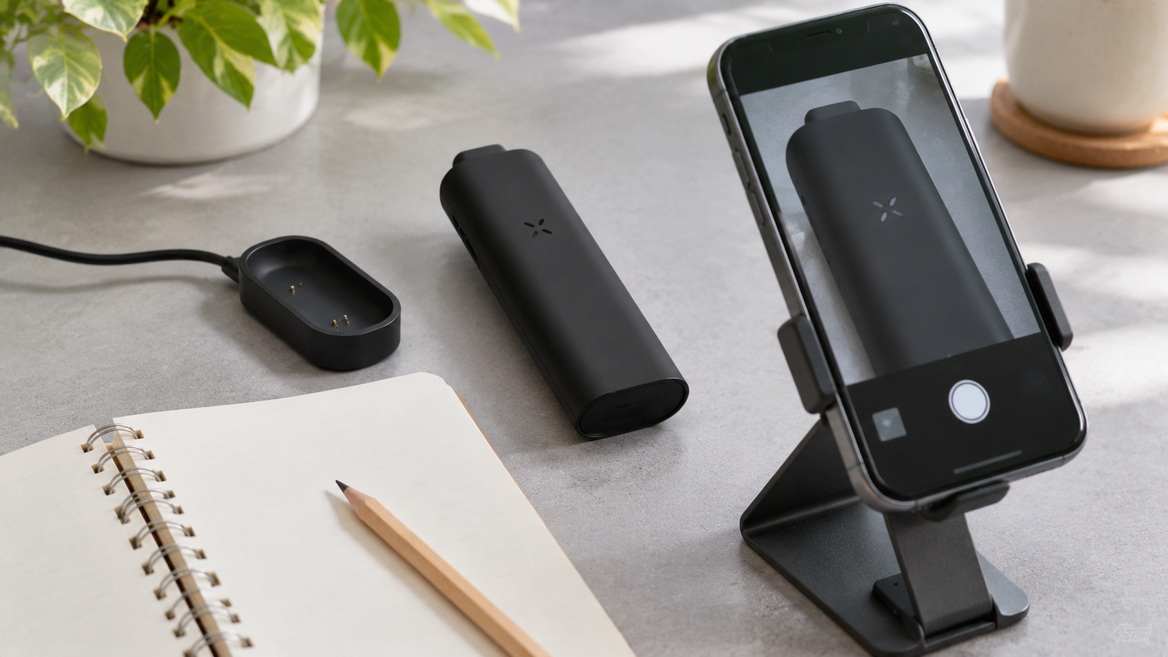
Under the standard indicator scheme, pulsing purple means heating is underway. Green normally follows when the selected temperature is reached. Purple alone does not establish a fault.
Blue petals indicate standby under the standard scheme. On a customised PAX 3, some operating colours may differ, so check the device's configuration before drawing conclusions.
No. Red can appear in the temperature-selection display. Red flashes associated with low battery are a different signal. Consider the pattern and operating context together.
Solid petals indicate charging thresholds already reached, while the remaining petals pulse as charging continues. Two solid white petals and two pulsing petals correspond to the documented pattern around the halfway point.
Only interpret them in context. Four solid white petals while charging indicate completion. Four white petals during a battery check represent approximately 75–100% remaining charge.
Not as a model-specific reference. Those devices have their own indicator systems. Confirm the exact model and consult its documentation rather than transferring meanings from a similar-looking display.
Record the model, colour, petal count, sequence and operating context. Check for known PAX 3 customisation, then consult manufacturer support. Do not invent a diagnosis from an unfamiliar colour.
The indicator descriptions come from manufacturer documentation. The distinctions between charging modes, the observation checklist and the troubleshooting order are editorial synthesis, not claims of hands-on testing. No customer testimonials were supplied or incorporated.
1. [PAX — PAX 2 & PAX 3: Battery / Charging]
Primary source for charging sequences, power-source guidance, charging temperature limits and vehicle precautions. [pax]
2. [PAX — PAX 3 Vaporizer: Complete User Guide]
Primary source for standard indicators, battery-check ranges, colour customisation, maintenance instructions and discontinued-model status. [pax]
3. [PAX — PAX 2 Vaporizer: Complete User Guide]
Primary source for PAX 2 operating indicators, battery ranges and charging-completion behaviour. [pax]
4. [Planet of the Vapes — PAX 2 and PAX 3 Light Guide]
Original article used to identify the core topic and opportunities for clearer explanations of charging, model scope and indicator context. [planetofthevapes]
5. [PAX — Frequently Asked Questions and Support]
Manufacturer support starting point for model-specific assistance and unresolved behaviour. [pax]
This website contains products intended for adults only.
Are you 18 years of age or older?
WARNING: This product contains nicotine. Nicotine is an addictive chemical.


