
Language
Views: 287 Author: 7DaysVape Publish Time: 2026-11-15 Origin: Site


Content Menu
● How to Interpret Vape Pen Battery Light Colors
>> Why Colour Alone Is Not Enough
● Common Vape Battery Light Colors: A Practical Comparison
>> A Manufacturer-Documented Example
● Steady, Pulsing and Blinking Vape Lights Are Different Signals
>> Does the Number of Flashes Matter?
● A Safety-First Checklist for an Unfamiliar Indicator
>> Step 1: Check for Reasons to Stop
>> Step 2: Find the Exact Instructions
>> Step 3: Record What Happened
>> Step 4: Avoid Improvised Repairs
● Vape Charging Lights and Safer Charging Practices
>> What If the Light Never Changes?
● Disposable Vape Lights: Do Not Assume Rechargeability
>> Battery Status Is Not an E-Liquid Gauge
● When Battery Condition Matters More Than Light Colour
>> Storage and Disposal Also Matter
● What to Send Manufacturer Support
>> What does a red light on a vape pen mean?
>> Does a green vape light mean the battery is fully charged?
>> Why is my vape blinking blue?
>> Is a white light a battery warning?
>> Can I charge a vape that has been dropped in water?
>> What should I do when the light pattern is not in the manual?
Vape pen battery light colors can indicate remaining charge, charging progress, device activity or a protection warning. However, light colors are not a universal code. A red light on one device may mean low charge, while a flashing red light on another may require a different response.
The safest interpretation combines three details: the exact model, the light pattern and what was happening when it appeared. Colour alone cannot confirm that a battery is healthy or that a device is safe.
This guide explains how to read indicators on electronic cigarettes without confusing a normal status signal with a possible fault. It also covers charging precautions, information to record for support and situations where further troubleshooting should stop.

Before looking up a colour, identify the device using its packaging, label or original instructions. Similar-looking products can use different electronics and warning systems.
Next, establish the context:
- Did the light appear while connected to a charger?
- Was it visible immediately after normal operation?
- Did it appear after inserting a removable pod?
- Is it steady, pulsing or flashing?
- Is the device unusually hot, damaged or wet?
These observations help distinguish a battery-level display from a charging animation or protection signal.
The manufacturer's instructions should take priority over a general colour chart. If you cannot identify the model or find reliable instructions, contact the manufacturer rather than experimenting with button sequences or charging equipment.
An indicator communicates a programmed message, not a complete battery diagnosis.
A green light may represent a broad charge range rather than exactly 100%. A red light may indicate ordinary low charge in one context and a warning in another. Some models also use lights for operating modes.
Treat the light as one piece of information. Physical damage, unusual heat and exposure to water matter even when the indicator appears normal.
The following table describes possible meanings, not guaranteed interpretations.
| Light or pattern | Possible meaning | What to verify |
|---|---|---|
| Steady green | Higher remaining charge, completed charging or normal activity | Whether the manual distinguishes charging from battery status |
| Steady blue | An intermediate charge range or a selected mode | The model's battery chart and mode instructions |
| Steady red | Lower remaining charge or another model-specific status | Whether the light appears during operation or charging |
| White | Activity, activation or another device-specific indication | The manufacturer's description for that exact model |
| Yellow or amber | An intermediate charge level or another status | Whether that colour appears in the official instructions |
| Flashing light | Charging activity, a protection response or a fault | Flash count, timing and operating context |
| No light | Several possibilities, including inactivity or an electrical problem | The documented expected behaviour |
Do not assign percentages to a colour unless the manufacturer publishes them. Likewise, an unfamiliar colour is not automatically evidence of a defective battery.
The VAPORESSO XROS 4 manual lists these battery-level indications after operation or pod insertion:
| Indicator | Published Battery Range |
|---|---|
| Green | 70%–100% |
| Blue | 30%–70% |
| Red | 0%–30% |
This example shows why "green means fully charged" can be misleading. On this model, green covers a range rather than one exact value.
The published bands also meet at their boundary values. They should be read as the manufacturer's indicator categories, not as a precision battery measurement.
Do not transfer these percentages to another model, including another product from the same brand.
A steady light, a slow pulse and a rapid sequence may communicate different messages even when they share the same colour.
For example, the XROS Mini manual describes a breathing red light during charging and a green light when charging is complete. That does not mean every red light on every device represents charging.
Similarly, a model may use a multicolour sequence for a protection response. The XROS 3 Nano manual documents a green-blue-red sequence when its eight-second operating limit is reached.
These are model-specific examples, not universal decoding rules.
It can, but there is no reliable cross-brand rule that three flashes always mean one problem or ten flashes always mean another.
Record:
1. The colour or sequence of colours.
2. The approximate number of flashes.
3. Whether the pattern repeats.
4. Whether a charging cable was connected.
5. Any accompanying heat, damage or unusual smell.
A brief video can help manufacturer support identify the pattern, provided recording does not require operating or approaching an unsafe device.
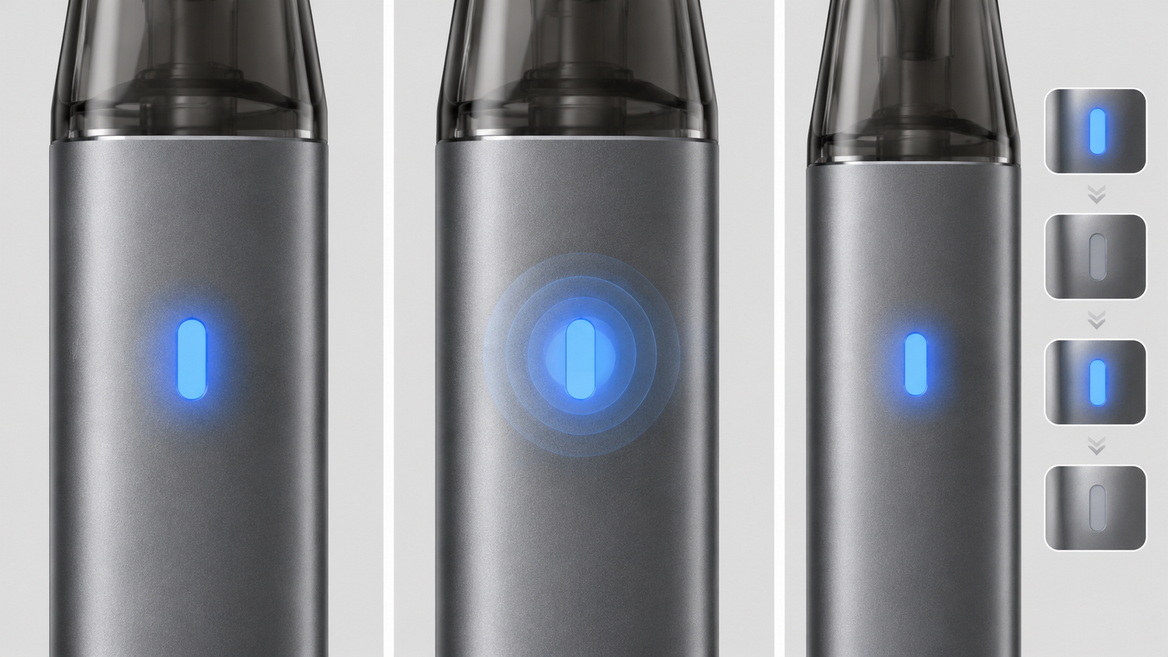
An unexpected light does not justify repeated attempts to activate or recharge the device. Start with observation and documentation.
Stop using and charging the device if it is damaged, swollen, unusually hot, wet or behaving abnormally.
Do not continue simply because the light changes back to green. A normal-looking indicator does not cancel a physical warning sign.
If there is smoke, fire or immediate danger, move away and contact emergency services. Do not prioritise recovering the device or recording its light pattern.
Use the model name and the manufacturer's official documentation. Check that the instructions match the version you own.
Look separately for sections covering:
- Battery-level indicators.
- Charging status.
- Protection functions.
- Maintenance restrictions.
- Faults requiring manufacturer assistance.
A troubleshooting page for a similar product may describe a different signal system.
Write down when the problem began and what immediately preceded it.
Useful details include a recent drop, liquid exposure, a new cable, unusual charging behaviour or a warning that repeatedly returns.
Describe observations rather than conclusions. "The red light flashes five times when connected" is more useful than "the battery is definitely dead."
Do not open a sealed battery housing, bridge electrical contacts, bypass a protection feature or attempt to revive a damaged battery.
A protection system is not an obstacle to work around. If the instructions do not clearly resolve the warning, leave the device out of service and contact the manufacturer.
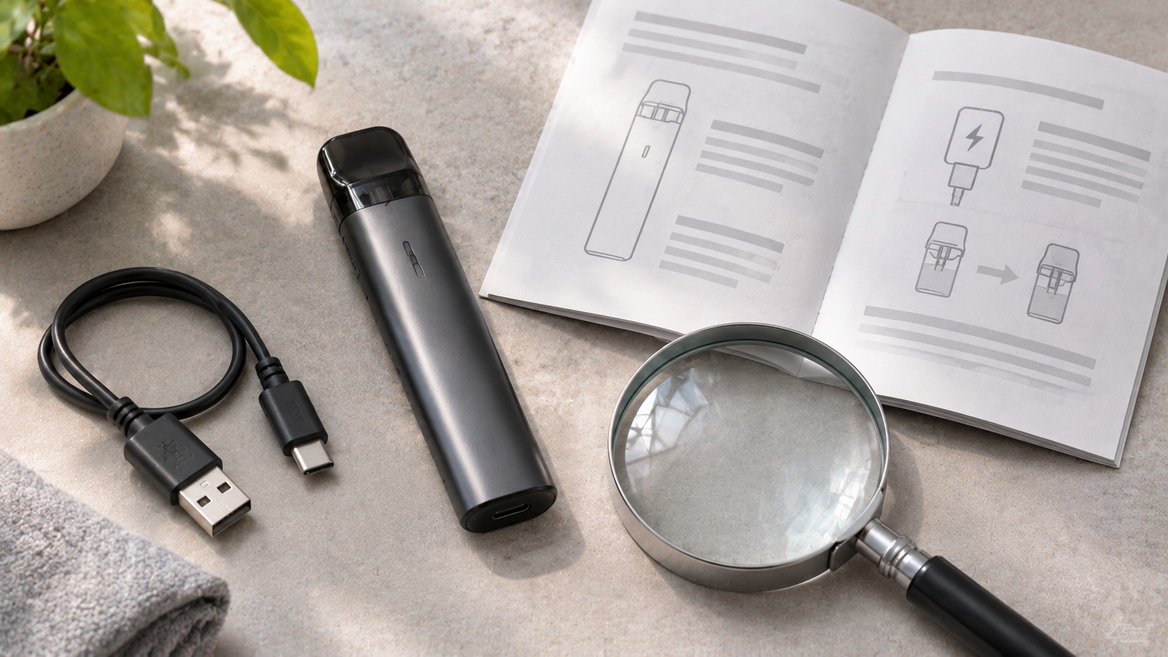
Charging indicators must be read alongside the electrical requirements in the manual. A connector fitting into a port does not, by itself, establish compatibility.
Follow the manufacturer's specified charging equipment and input requirements. Do not assume that one charger is appropriate for every device labelled "vape" or "e vape."
The FDA recommends charging on a clean, flat surface away from materials that can easily catch fire, where the device remains clearly visible.
- Read the manufacturer's charging instructions first.
- Use the specified or recommended charging equipment.
- Keep the device away from bedding, cushions and other easily ignited materials.
- Do not leave it charging overnight or unattended.
- Avoid charging in extreme temperatures.
- Stop if the device or charging equipment shows damage or abnormal behaviour.
A charging animation does not prove that every component is functioning correctly. Similarly, a completed-charge signal does not justify leaving a device connected indefinitely.
Do not respond by extending charging indefinitely or repeatedly trying unrelated adapters.
Check the documented charging behaviour and contact the manufacturer if the expected indication does not appear. Report the equipment used and the approximate charging duration.
There is no single charging time that safely applies to every battery capacity, charging circuit and device condition.
The phrase "disposable vape" does not establish whether a product is designed to be recharged.
Do not attempt to recharge a device unless its manufacturer explicitly identifies it as rechargeable and provides charging instructions. Never open a sealed product to attach wires or expose its battery.
A blinking light also does not reliably distinguish an exhausted battery from depleted liquid or a fault across all disposable devices.
A battery indicator describes an electrical status defined by the manufacturer. It should not be treated as a reliable measurement of remaining e-liquid unless the device specifically provides that function.
Likewise, a green light does not confirm that a consumable component is suitable for continued use.
Keeping these categories separate prevents a common mistake: interpreting one indicator as proof that every part of the device is functioning normally.
Battery safety takes priority over interpreting an LED.
The FDA warns that vape fires and explosions can seriously injure users and people nearby. Its guidance emphasises understanding the device, following manufacturer instructions and protecting batteries from inappropriate conditions.
Do not dismiss:
- Visible damage to the housing or battery.
- Abnormal heat.
- Water exposure.
- Repeated unexplained protection warnings.
- Charging behaviour that differs substantially from the instructions.
For removable batteries, follow the manufacturer's compatibility requirements. Do not mix different brands, charge levels, or old and new batteries in a device that uses multiple cells.
Keep loose batteries in a suitable protective case rather than carrying them alongside coins, keys or other metal objects.
Protect devices from extreme temperatures, including direct sunlight and hot vehicles.
Follow local disposal requirements and the manufacturer's guidance when retiring a device or battery. If a battery is damaged or the device has an integrated battery, ask the appropriate collection service how it should be handled.
Do not dismantle a sealed device to make disposal easier.
A useful support request reduces guesswork without making an unsupported diagnosis.
Include:
- Manufacturer and exact model.
- Serial number, if available.
- Light colour, flash count and repetition pattern.
- Whether the signal occurs during charging or another activity.
- Charger and cable details.
- Any recent impact, liquid exposure or visible damage.
- A photograph of the label and a safely recorded indicator video, if available.
Avoid claiming that the product has a particular internal fault unless that diagnosis has been confirmed.
For a serious safety incident, retain identifying information where it is safe to do so. Regulatory reporting systems may request the manufacturer, model, battery details and whether the product had been modified.
It can indicate low battery charge, but its meaning depends on the model and context. Some products also use red during charging or warning sequences. Check whether the light is steady, pulsing or flashing before consulting the matching instructions.
Not necessarily. It can mean a higher charge range or another normal status. For example, the XROS 4 manual assigns green to 70%–100% after operation or pod insertion. Charging completion may have its own documented indication.
There is no universal explanation. Blue can relate to battery level or another device-specific function. Record the pattern and consult the exact manual rather than relying on a generic flash-count chart.
Not automatically. White can indicate activity on some devices, but meanings vary. If the light accompanies abnormal heat, damage or other concerning behaviour, stop using the device regardless of colour.
Do not attempt to charge it. FDA battery guidance advises replacing batteries that become wet or damaged and contacting the manufacturer when the device has a non-replaceable battery.
Stop experimenting and contact the manufacturer with the model, pattern and circumstances. Do not open the housing, bypass protections or repeatedly charge the device to see whether the warning disappears.
1. VaporFi. "Guide to Vape Pen Battery Light Colors." Updated July 24, 2024. Original article reviewed for its colour explanations and general troubleshooting coverage. [vaporfi]
2. VAPORESSO. "XROS 4 User Manual." Primary documentation for the model-specific green, blue and red battery-level ranges. [files.vaporesso]
3. VAPORESSO. "XROS Mini User Manual." Primary documentation for its breathing red charging indicator and green completed-charge indication. [files.vaporesso]
4. VAPORESSO. "XROS 3 Nano User Manual." Primary documentation for its multicolour operating-time protection signal. [files.vaporesso]
5. U.S. Food and Drug Administration. "Tips to Help Avoid Vape Battery Fires or Explosions." Guidance on charging surfaces, battery compatibility, temperature exposure and incident information. [fda]
6. U.S. Food and Drug Administration. "5 Tips to Help Avoid Vape Battery Explosions." Safety guidance covering unattended charging, protective battery cases, and wet or damaged batteries. [fda]
7. U.S. Food and Drug Administration. "Safety Reporting Portal for Tobacco Products." Information on reporting overheating, fires, explosions, burns and other product problems. [fda]
This website contains products intended for adults only.
Are you 18 years of age or older?
WARNING: This product contains nicotine. Nicotine is an addictive chemical.


