
Language
Views: 267 Author: 7DaysVape Publish Time: 2026-11-19 Origin: Site


Content Menu
● Identify Your PAX Mini Before Following Any Instructions
>> Original PAX Mini vs. PAX Mini 2
>> Why Old Instructions Can Become Misleading
● Understand Material and Accessory Compatibility
>> Can You Put E-Liquid in the Original PAX Mini?
>> Are Concentrate Inserts and Half-Pack Lids Compatible?
● Inspect the Device Before Charging or Cleaning
>> Keep an Unknown Device Off the Charger
● PAX Mini Charging: Check the Connection Before Assuming Battery Failure
>> Why Battery-Life Claims Need Context
● Understand the Original PAX Mini Controls
>> What Indicator Lights Can—and Cannot—Tell You
● How to Clean the Original PAX Mini
>> Step 1: Switch Off and Let the Device Cool
>> Step 2: Remove the Designated Parts
>> Step 3: Clean the Pathway and Oven Carefully
>> Step 4: Treat Removable Components Differently
>> Step 5: Dry Fully Before Reassembly
● Troubleshooting Without Modifying the Device
>> Separate Maintenance Problems From Product Faults
● Read Reviews and Performance Claims Critically
>> Does the Original PAX Mini Have Adjustable Temperature Settings?
>> Can I Use E-Liquid in a PAX Mini?
>> Is the Half Pack Oven Lid Compatible With the Original Mini?
>> How Often Should I Clean It?
>> Can I Soak the Whole Device in Alcohol?
>> Why Can't I Open a Temperature Menu?
>> What Should I Do if Charging Still Fails?
A useful PAX Mini quickstart guide should begin with one question: which PAX Mini do you own? The original PAX Mini and PAX Mini 2 share a product name, but their controls, oven designs, and accessory compatibility are not identical. Following instructions for the wrong generation can create confusion before you even begin.
This guide focuses on the original PAX Mini, also called PAX Mini (1) in the manufacturer's support materials. It explains how to identify the correct instructions, understand material compatibility, maintain the device, and recognize problems that require professional support.
This is a source-based care guide, not a hands-on review or medical recommendation. It does not claim that vapor inhalation is harmless, and it does not replace the instructions supplied with your exact device.
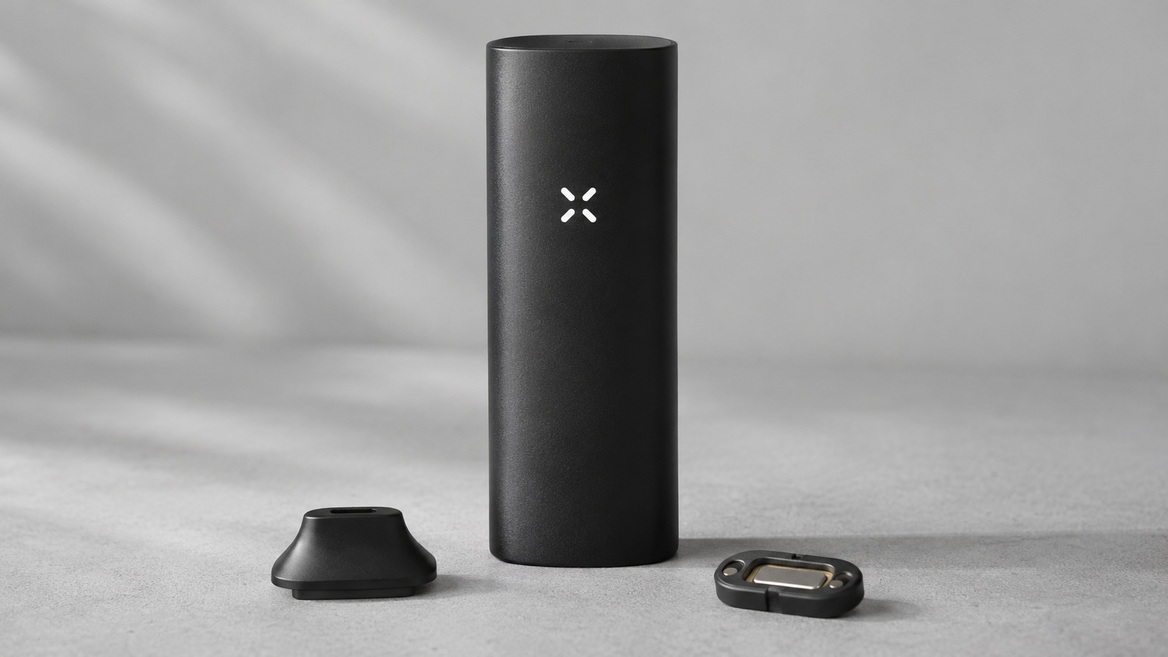
The most important distinction is between the original single-mode device and the later model with adjustable heat modes.
Manufacturer support materials identify PAX Mini 2 as a newer generation released in October 2025. Older articles may therefore describe features that do not apply to current products carrying the same family name.
| Feature | Original PAX Mini | PAX Mini 2 |
|---|---|---|
| Heat controls | One automatic operating mode | Four selectable heat modes |
| Oven design | Smaller, shallow oven | Full-size oven |
| Half Pack Oven Lid | Not compatible | Compatible |
| Temperature-setting instructions | No adjustable heat-mode menu | Model-specific heat-mode controls |
| Correct starting reference | Original PAX Mini manual | PAX Mini 2 manual |
Do not identify your device from color alone. Packaging, the original order record, model information, and the matching manufacturer guide provide stronger evidence.
If these sources disagree, ask manufacturer support to identify the unit before buying replacement parts or applying another model's instructions.
An older article can remain accurate for an older device while becoming unsuitable for a newer one.
For example, "the PAX Mini has no adjustable settings" is accurate for the original model. It is not a reliable statement about every device now sold under the PAX Mini name.
Good device guidance must identify both the product and its generation.
The original PAX Mini belongs to the dry-herb vaporizer category. It is not an e-liquid tank, disposable electronic cigarette, or refillable nicotine pod system.
These categories should not be treated as interchangeable simply because they all involve inhalation devices.
No. Do not pour e-liquid, nicotine liquid, or other liquids into its oven.
The reference guide specifically warns against adding liquid to the dry-herb equipment it describes. A product being described broadly as a "vape" does not establish that it can accept vape juice.
Use the exact manufacturer documentation to determine compatibility. Do not rely on a retailer's broad product category or an informal social-media description.
The manufacturer states that the original PAX Mini's shallow oven is not compatible with the Half Pack Oven Lid or Concentrate Insert described in its support materials.
This matters because accessories from related PAX products can look similar.
Before fitting any replacement component:
- Check the full accessory name.
- Confirm that the listing explicitly includes your generation.
- Compare the part with the manufacturer's compatibility information.
- Stop if installation requires force or prevents normal closure.
Physical resemblance is not proof of compatibility.
A quick inspection helps separate a routine maintenance issue from a potentially damaged device.
With the unit switched off and cool, examine the housing, mouthpiece, oven area, charging contacts, and charging equipment.
Look for:
- Cracks, deformation, or loose components.
- Visible moisture around electrical contacts.
- A damaged charging cable.
- Residue that prevents parts from seating properly.
- Evidence that an incompatible accessory has been forced into place.
Do not attempt to correct electrical damage by opening the housing, bending contacts, or bypassing protective components.
If the device is visibly damaged, unusually hot, leaking, or behaving unexpectedly, stop using and charging it until the manufacturer has assessed the problem.
A secondhand device or one stored for a long time may have an unclear history.
Missing accessories, an unfamiliar charger, or evidence of liquid exposure are reasons to verify the equipment before connecting power. Cleaning the exterior does not establish that internal electronics are undamaged.
The manufacturer's support information describes charging through a compatible USB charging arrangement, with the device contacts aligned against the charger pins.
The practical starting point is correct equipment and proper contact—not repeated attempts with unrelated chargers.
1. Confirm the charger is intended for your PAX Mini.
2. Inspect its cable and contact points.
3. Make sure the device and charging area are dry.
4. Align the device with the charger as shown in its manual.
5. Check the matching guide for the expected charging indication.
If charging does not begin, remove and reposition the device once rather than pressing it forcefully against the charger.
Persistent failure needs further assessment. Poor contact, charger damage, and battery problems are different possibilities; a charging symptom alone does not establish which one is responsible.
Published runtime figures should not be treated as guaranteed performance for an individual device.
The manufacturer's older materials contain differing runtime descriptions, and the two PAX Mini generations have different specifications. Battery age and operating conditions further complicate comparisons.
For an older unit, an unexplained change from its own previous behavior is more informative than comparing it with a headline specification for another model.
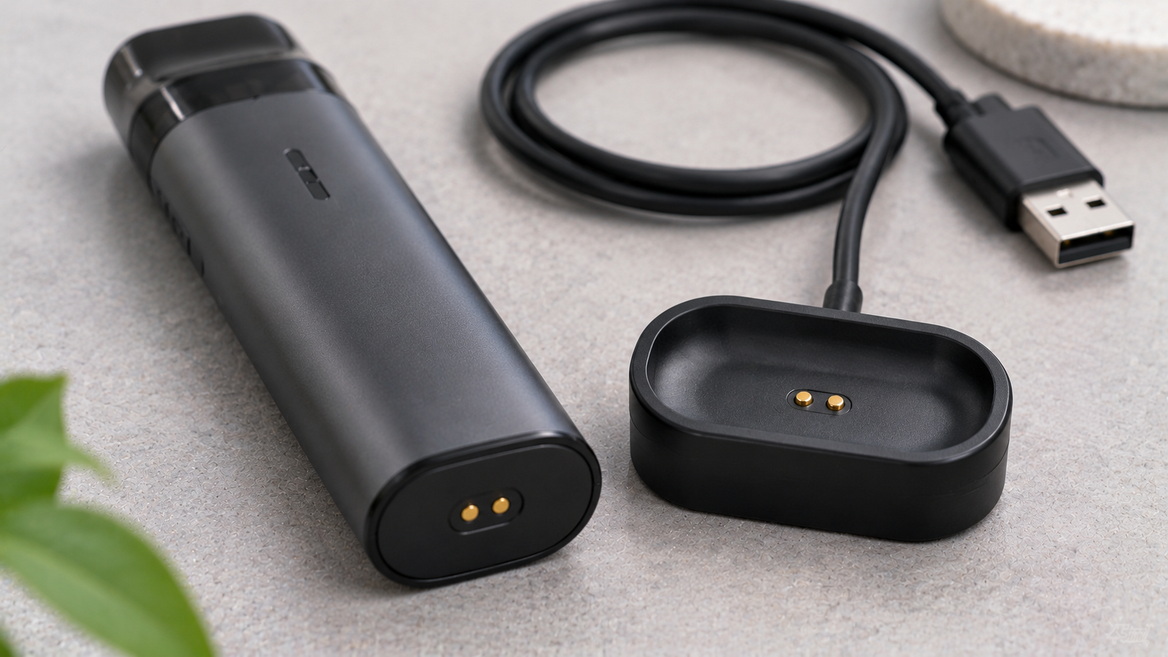
The original PAX Mini does not offer adjustable heat modes.
Manufacturer support explicitly states that holding its power button does not open a temperature-setting menu. Trying repeatedly to access settings from a different model will not add that functionality.
Indicator lights communicate operating states, but their meaning depends on the device and the situation.
Use the original model's guide to distinguish charging, heating, and other notifications. Do not assume that a light pattern described for another PAX device has the same meaning.
A useful troubleshooting record includes:
- Whether the device was charging or disconnected.
- What happened immediately before the light changed.
- Whether the behavior repeats.
- Whether unusual heat or physical damage is present.
A short, accurate description is more useful to support staff than a general statement that the device "does not work."
Cleaning should remove accessible residue without flooding the device, damaging components, or leaving cleaning solvent behind.
PAX recommends cleaning every few uses. Treat that as a maintenance starting point, while also checking for visible buildup and changes in airflow.
Begin with a powered-off, cool device disconnected from its charger.
Prepare a stable work surface so that small removable parts are not lost. Keep cleaning materials away from children, pets, food, and ignition sources.
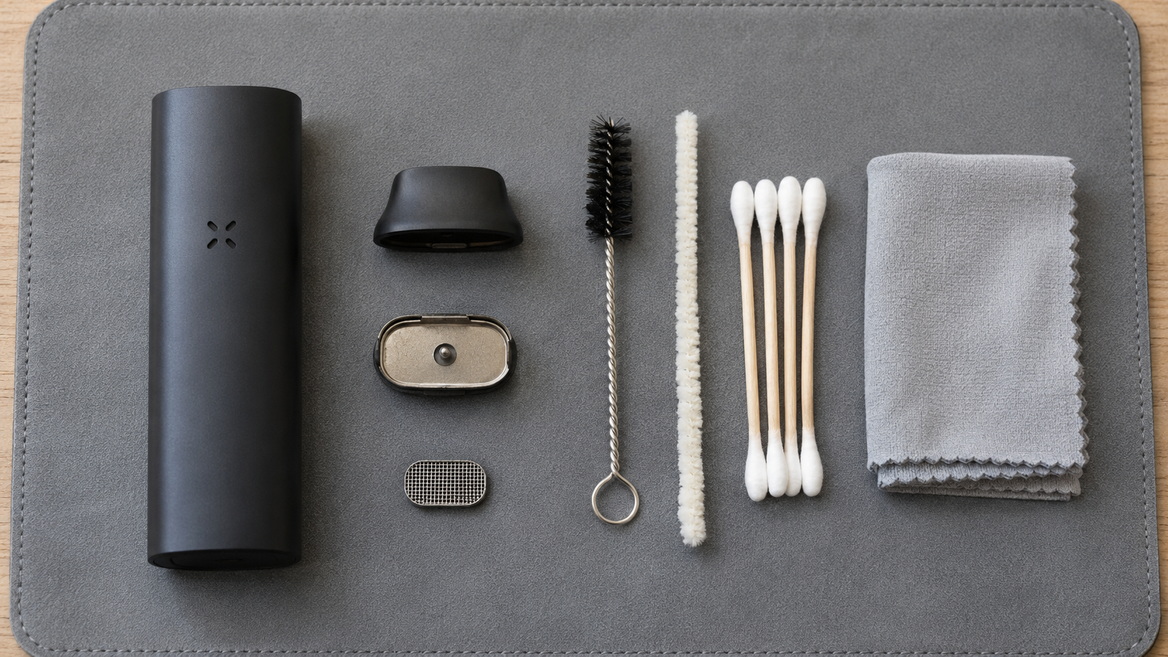
The manufacturer's cleaning instructions describe removing the mouthpiece and oven lid, then accessing the vapor pathway and removable screen.
Follow the matching instructions rather than improvising with sharp tools.
If a component will not move as described, stop and check the guide. Force can turn a cleaning task into a repair problem.
PAX describes using a pipe cleaner or wire brush with isopropyl alcohol for the vapor pathway, and an alcohol-moistened cotton swab for accessible oven and upper-device surfaces.
The distinction between "moistened" and "flooded" matters.
Do not pour cleaning liquid into the housing. Use only the tools and cleaning approach specified for the relevant components.
Not every removable part has the same cleaning requirements.
The manufacturer permits soaking the silicone mouthpiece and oven screen in isopropyl alcohol in its cleaning guidance. It explicitly warns against submerging the oven lid or Half Pack Oven Lid in liquid.
For the original Mini, remember that the Half Pack Oven Lid is not a compatible operating accessory in the first place.
PAX instructs owners to make sure the mouthpiece and oven screen are completely dry before reinstalling them.
Its cleaning procedure also describes a heating-and-cooling step after reassembly. Follow the manufacturer's complete sequence, rather than extending it into an improvised, prolonged "burn-off."
Do not use the device while cleaning liquid remains present.
Start with checks that are reversible and consistent with the manual.
| Symptom | First checks | Avoid |
|---|---|---|
| Device will not charge | Correct charger, dry contacts, proper alignment | Forcing the connection |
| Heat settings seem missing | Confirm whether it is the original single-mode model | Following another generation's controls |
| Airflow feels restricted | Check accessible buildup and correct reassembly | Enlarging openings |
| A replacement part will not fit | Verify exact model compatibility | Trimming or forcing the part |
| Problem persists after cleaning | Record symptoms and contact support | Opening the battery housing |
Residue and incorrect reassembly can cause problems, but cleaning is not a universal repair.
A persistent charging fault should not be dismissed as normal wear without assessment. Likewise, an unusual smell after cleaning should not automatically be blamed on leftover material.
Stop, review what changed, and seek help when the cause is unclear.
Customer comments can highlight questions worth investigating, but they are not controlled tests.
A report of restricted airflow may involve residue, a misplaced screen, or a different generation. A battery complaint may involve an older unit or a damaged charger.
Useful review details include the exact model, ownership period, maintenance history, and symptoms.
This guide does not present invented customer quotations or claim a consensus from reviews that were not supplied. It also does not treat manufacturer marketing language as independent proof of health benefits or guaranteed performance.
No. Manufacturer support identifies PAX Mini (1) as a device without adjustable heat modes. PAX Mini 2 has four heat modes, which is why confirming the generation matters.
Do not put e-liquid into the original PAX Mini. It is a dry-herb device, not a refillable liquid-based electronic cigarette.
No. The manufacturer identifies the original Mini's shallow oven as incompatible with that accessory. Its newer-generation compatibility should not be applied backward.
PAX recommends cleaning every few uses. Also inspect for visible buildup, restricted airflow, and incorrectly seated parts rather than relying exclusively on a calendar schedule.
No. The manufacturer's cleaning procedure distinguishes between the housing, removable mouthpiece, screen, and oven lid. Permission to soak selected components does not apply to the complete device.
The original Mini does not have one. Holding its button will not reveal adjustable heat settings. Check the model before assuming the controls are faulty.
Stop repeated charging attempts, document the charger and symptoms, and contact manufacturer support. Do not open the housing or attempt battery modifications.
1. [Planet of the Vapes — How to Use the (old) PAX Mini Vaporizer]
Original reference article. Used to establish the legacy-model scope and identify limitations in the supplied guide. [planetofthevapes]
2. [PAX — How Do I Adjust the Temperature on PAX Mini?]
Manufacturer confirmation that PAX Mini (1) has no adjustable heat modes, while PAX Mini (2) has four. [pax]
3. [PAX — What's Different With PAX Mini?]
Manufacturer information covering generation differences, the newer model's release, and accessory compatibility. [pax]
4. [PAX — How Do I Clean My PAX?]
Manufacturer cleaning procedure, maintenance frequency, solvent guidance, component restrictions, and drying requirements. [pax]
5. [PAX — PAX Mini Support: How To]
Manufacturer support index containing battery, charging, cleaning, and maintenance information. [pax]
6. [PAX — PAX Mini Quick Start Guide]
Manufacturer download page providing separate guides for the original PAX Mini and PAX Mini 2. [pax]
7. [PAX — Upgrading From PAX 2 to PAX Mini]
Historical manufacturer description of the original Mini's controls, oven design, and battery claims. Used with caution rather than as a universal specification for both generations. [pax]
This website contains products intended for adults only.
Are you 18 years of age or older?
WARNING: This product contains nicotine. Nicotine is an addictive chemical.


